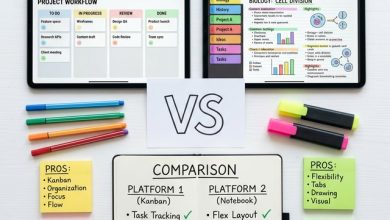
Trello provides a visual project management platform built around the Kanban board methodology,
where tasks are represented as cards that move across columns representing different stages of
progress, creating an intuitive visual representation of work status that enables immediate
comprehension of project state without detailed reading or analysis. For students managing
multiple assignments, group projects, research papers, and course obligations simultaneously,
Trello’s visual approach transforms the abstract complexity of academic workload management
into concrete, movable cards on organized boards that make progress visible, deadlines
apparent, and next actions clear at a glance.
The platform’s simplicity represents its primary strength: while more complex project management
tools offer sophisticated features that require significant learning investment, Trello’s core
concept of boards, lists, and cards is immediately understandable and produces organizational
value within minutes of initial setup. This low barrier to entry means students can implement
effective task management without the extensive configuration and learning period that more
powerful but more complex alternatives demand, making Trello particularly suitable for students
who need organizational support but cannot invest substantial time learning a project management
system before it begins providing benefit.
This article provides a comprehensive guide to using Trello effectively for academic planning
and project management, covering board design strategies for different academic contexts, list
structures that support productive workflows, card organization techniques that maintain clarity
as task volumes grow, label and filter systems for managing content across multiple courses,
collaboration features for group projects and study partnerships, automation capabilities that
reduce manual organizational overhead, and practical workflows that integrate Trello into daily
academic routines.

⚠ Note: This article provides general educational guidance about using
project management tools for academic purposes. Features, pricing, and availability may
change. This article is not sponsored by or affiliated with Atlassian or Trello.
Understanding the Kanban Approach for Academic Work
The Kanban methodology, originally developed for manufacturing workflow optimization, translates
effectively to academic project management by providing visual tracking of tasks as they move
through stages of completion. In the academic context, a basic Kanban workflow might include
columns for tasks that are planned but not yet started, tasks currently in progress, tasks
waiting for external input such as peer feedback or instructor approval, and tasks that have
been completed. Moving cards between these columns as work progresses creates a visual record
of accomplishment that provides both organizational clarity and motivational satisfaction.
The visual nature of Kanban boards provides immediate awareness of workload distribution:
seeing many cards in the “In Progress” column signals potential overcommitment that requires
prioritization, while an empty “To Do” column alongside a full “In Progress” column suggests
that current tasks should be completed before new ones are started. This visual feedback
develops intuitive workload awareness that list-based task managers and mental tracking cannot
provide with the same immediacy and clarity.
Board Design Strategies
Single Master Board Approach
Creating a single board that manages all academic tasks across all courses provides a unified
view of your complete academic workload, ensuring that nothing falls through the cracks between
separate course-specific systems. On a master board, cards for every course share the same
workflow columns, and color-coded labels distinguish which course each task belongs to. This
approach works well for students who prefer seeing their entire academic obligation landscape
in a single view and who take a manageable number of courses where the combined task volume
does not overwhelm a single board.
The master board approach enables cross-course prioritization that separate boards cannot
provide: when you need to decide what to work on next, seeing a Biology lab report due
tomorrow alongside an English essay due next week on the same board makes priority decisions
obvious in ways that checking separate boards for each course does not facilitate.
Course-Specific Boards
Creating individual boards for each course provides deeper organizational capability within
each subject at the cost of a unified cross-course view. Course-specific boards can include
lists tailored to each course’s unique workflow: a research paper board might include lists
for source identification, reading and annotation, outlining, drafting, revision, and final
submission, while a laboratory course board might include lists for pre-lab preparation,
data collection, analysis, and report writing. This tailored workflow reflecting each course’s
specific processes provides more relevant organizational structure than a generic workflow
applied uniformly across all courses.
Semester Planning Board
A semester-level planning board uses lists to represent weeks or months of the semester,
with cards placed in the relevant time period to create a timeline view of the semester’s
major obligations and milestones. This chronological board format reveals periods of heavy
workload convergence where multiple courses impose simultaneous demands, enabling proactive
preparation and strategic front-loading of work during lighter periods. The semester board
complements daily and weekly task management with the longer-term perspective that strategic
academic planning requires but that weekly-focused management approaches tend to neglect.
Card Organization and Management
Creating Effective Cards
Each Trello card represents a single task or action item, and the quality of your card
creation directly affects the usefulness of your boards. Effective academic task cards include
a clear, specific title that describes the deliverable rather than the activity, such as
“Submit Biology Lab Report 3” rather than “Biology homework.” Card descriptions should include
relevant details such as assignment requirements, formatting specifications, and submission
instructions. Due dates create deadline awareness with automatic reminders. Checklists within
cards break complex tasks into smaller steps, providing progressive completion tracking that
transforms large, daunting assignments into manageable sequences of smaller actions.
Attaching relevant files to cards creates centralized access points where all materials needed
for a specific task are accessible from the card itself. Attaching assignment rubrics, reference
materials, draft documents, and relevant lecture notes to the card for a course paper means that
beginning work on that paper requires only opening the card and accessing its attachments rather
than hunting for scattered materials across multiple locations.
Labels and Filtering
Color-coded labels enable multi-dimensional categorization that adds information layers beyond
what list position alone provides. Common academic label schemes include course-based labels
using distinct colors for each course, task type labels distinguishing essays, problem sets,
presentations, and readings, priority labels indicating urgency levels, and effort estimate
labels indicating quick tasks versus substantial projects. Filtering boards by label enables
focused views showing only tasks for a specific course or only high-priority items, reducing
visual complexity when you need to concentrate on a particular subset of your obligations.
Collaboration for Group Projects
Trello’s collaboration features make it exceptionally suited for academic group project
management, where multiple students must coordinate tasks, share resources, track progress,
and maintain accountability across contributed work. Creating a shared board for a group project
enables transparent task assignment where all members can see who is responsible for what,
progress tracking where card movement shows completed and remaining work, deadline coordination
where shared due dates ensure synchronized timelines, and resource sharing where attachments
and comments provide all project materials in a single accessible location.
Assigning specific members to cards creates clear responsibility records and enables member-
specific filtering that shows each person their assigned tasks. Card comments provide a
discussion thread for each task, keeping task-specific communication attached to the relevant
card rather than scattered across email threads and messaging conversations where it becomes
difficult to find and reference. Activity logs on each card record all changes, providing
accountability evidence and change history without requiring manual progress reporting.
Automation with Butler
Trello’s built-in automation tool, Butler, enables rule-based automations that reduce repetitive
manual organizational tasks. Useful academic automations include automatically moving cards
to a “Done” list when all checklist items are completed, automatically assigning due date
reminders when cards are created in specific lists, and automatically adding labels based on
card naming conventions. These automations maintain organizational consistency without requiring
constant manual attention, freeing mental energy for academic work rather than system maintenance.
Calendar commands that create recurring cards for regular obligations such as weekly reading
assignments, regular study sessions, and periodic review tasks automate the creation of
repetitive task cards that would otherwise require manual creation each week. This automation
ensures that recurring obligations appear on your board consistently without relying on memory
to create them manually.
Integrating Trello into Your Academic Routine
The most effective Trello workflow includes brief daily and weekly review sessions that maintain
board accuracy and inform planning decisions. A daily morning check of your boards takes only
a few minutes but ensures awareness of today’s deadlines and current priorities. A weekly review
session evaluates overall progress, updates card statuses, adds newly received assignments, and
plans the coming week’s task priorities based on upcoming deadlines and workload distribution.
The habit of immediately creating a card for every new assignment and obligation when you
receive it prevents the accumulation of untracked tasks that undermines any organizational
system. Whether an assignment is announced in class, posted on a learning management system,
or communicated through email, creating a Trello card immediately captures the task in your
system before it can be forgotten or lost among competing information demands.
Limitations and Considerations
- Not a Study Tool: Trello manages tasks and projects but does not support actual
studying. It excels at tracking what needs to be done, not at helping you learn content. - Board Overwhelm: Boards with too many cards become cluttered and difficult to parse.
Regular archiving of completed cards and thoughtful card creation prevent visual overload. - Free Plan Limits: The free plan limits boards per workspace and some automation
features. Evaluate whether paid features provide genuine organizational benefit. - Requires Consistent Maintenance: Like all organizational systems, Trello only works
when maintained consistently. Abandoned boards quickly become inaccurate and useless. - Limited Note-Taking: Card descriptions support basic text but are not designed for
comprehensive note-taking. Use dedicated note-taking tools alongside Trello for content.
⚠ Note: Start with one board and a simple workflow before creating
elaborate multi-board systems. The most effective Trello setup is one simple enough that
you actually maintain it consistently rather than an elaborate system that impresses but
is abandoned within weeks because it demands too much organizational overhead.
Conclusion
Trello provides students with an intuitive visual project management platform that transforms
academic workload management from abstract mental tracking into concrete, movable, visually
organized tasks that make progress visible, priorities clear, and deadlines impossible to
overlook. By designing boards that match your academic workflow, creating well-structured cards
with complete task information, using labels and filters for multi-dimensional organization,
leveraging collaboration features for group projects, automating repetitive organizational
tasks, and maintaining consistent daily and weekly review habits, students can build an
academic management system that reduces the organizational stress of complex academic workloads
while ensuring that nothing important is forgotten or neglected.
Begin with a single master board for your current courses, create cards for all current
assignments, and commit to a one-week trial of daily board review to experience the clarity
that visual task management provides. Adjust your board structure based on what you learn
about your own organizational needs during this trial, and expand gradually as your comfort
with the platform grows.
How do you use Trello for managing your academic workload? Share your board designs,
workflow strategies, and productivity tips in the comments below!